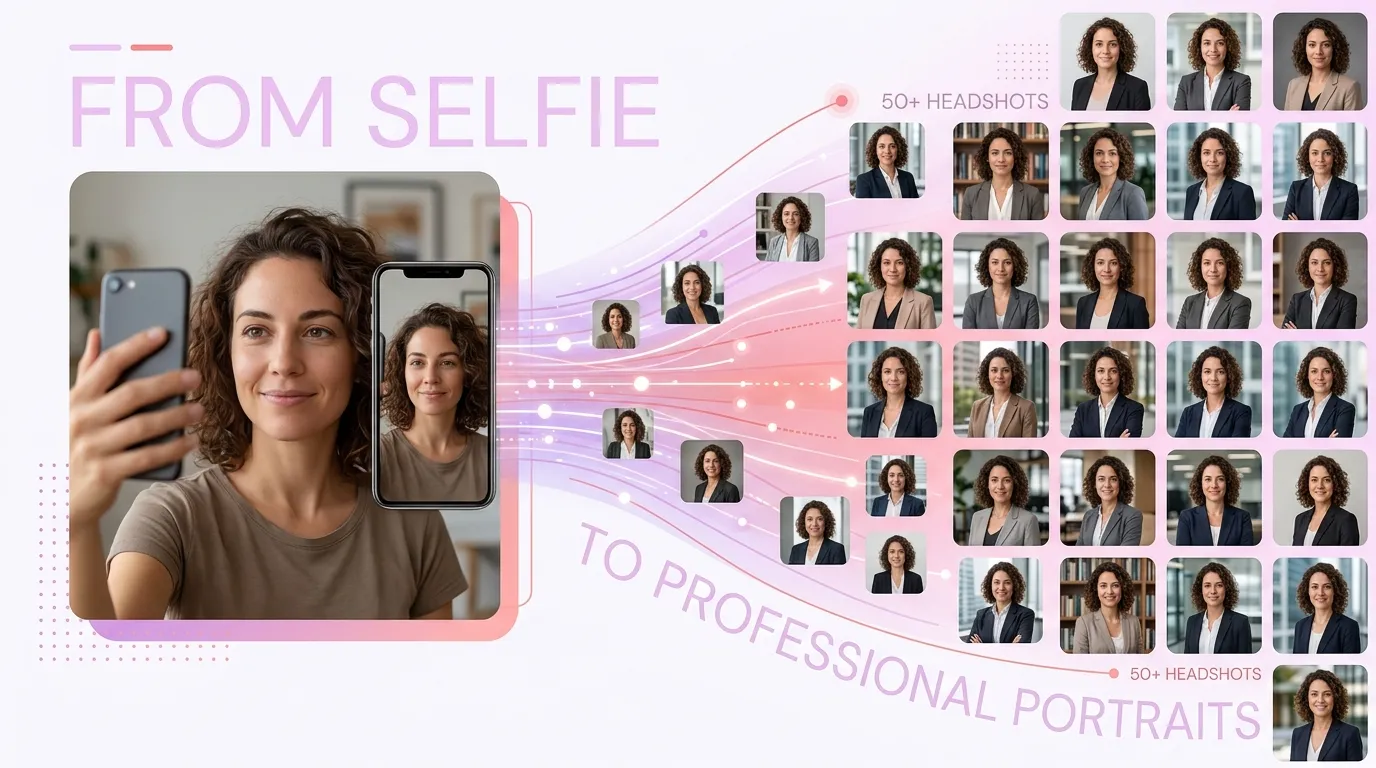
You just uploaded a casual selfie taken in your kitchen. Messy background, uneven lighting, maybe a half-smile you're not even sure about. You hit "Generate," wait a minute or two, and suddenly you're looking at 50 polished, studio-quality headshots of yourself in different outfits, lighting setups, and poses.
It almost feels like magic. But it's not magic. It's a fascinating chain of steps that an AI performs in rapid succession, each one building on the last.
Think of it as a relay race where every runner is a specialist: one detects your face, another learns its geometry, another picks a visual style, and the last polishes everything to a finish. What follows walks through that relay, no computer science degree required, including why the AI sometimes nails your likeness perfectly and other times gives you an extra earring you never owned.
Step 1: Finding your face in the photo
The very first thing the AI does is locate your face in the image. Sounds obvious, right? It's surprisingly nuanced.
The system identifies key landmarks: the corners of your eyes, the tip of your nose, the edges of your jawline. Depending on the model, it maps roughly 68 to 100 specific points on your face. Each point acts as a coordinate in a detailed spatial map.
Think of it like a portrait artist who, before picking up a brush, lightly sketches guidelines on the canvas. Where do the eyes sit relative to the nose? How wide is the face compared to its height? These landmarks create a foundational "map" that every later step depends on.
Once the landmarks are placed, the AI "aligns" your face. It digitally rotates and crops the image so your features are centered and normalized. This is why a straight-on, well-lit selfie works so much better than a photo where you're turned 45 degrees or half-hidden behind sunglasses. The more landmarks the AI can clearly detect, the better the map it builds.

A question you've probably had: "Why does the AI ask for a front-facing photo?" Because face detection works best when most landmarks are visible. A profile shot hides half the data the AI needs. You're essentially asking it to draw a map with half the cities missing.
Step 2: Learning what makes your face your face
Once your face is aligned, the AI doesn't store your photo as a picture. Instead, it translates your face into a compressed mathematical description called an "embedding," sometimes described as a representation in "latent space."
This is the most abstract step, but also the most important one.
Here's an analogy that helps: Picture yourself describing a friend's face to a police sketch artist, but you can only use numbers. "Eye spacing: 7 out of 10 wide. Nose bridge: narrow. Jawline: soft and round. Lip fullness: 4 out of 10." The AI does something similar, except it uses hundreds or even thousands of such measurements. It captures subtleties no human would think to describe, like the exact way light catches the curve of your cheekbone or the precise ratio between your brow ridge and your hairline.
This numerical "fingerprint" of your face is what allows the AI to recreate your likeness across dozens of different settings. It's not copying your photo pixel by pixel. It has learned the essence of your face and can reconstruct it from scratch.
Why this matters for quality: If your input photo is blurry, poorly lit, or obscured, the AI's fingerprint will be incomplete or noisy. It's like giving the sketch artist a description while shouting through a wall. Poor input leads to poor output, no matter how sophisticated the technology.
This is also why uploading multiple selfies (when a tool like Starkie AI allows it) can improve results. The AI averages across several descriptions to build a more robust understanding of your features.
Step 3: Choosing the look, or how style conditioning works
Now the AI knows what your face looks like. Next, it needs to know how you want it presented.
This is where style conditioning enters the picture. It's the process of telling the generative model to apply a specific aesthetic: a corporate headshot with a navy blazer, a creative portrait with dramatic lighting, a casual LinkedIn photo with a soft background.
Back to our portrait artist analogy. You've handed them the sketch of your face. Now you hand them a mood board: "I want Rembrandt lighting, a charcoal suit, a blurred office background." The artist uses your face sketch as the subject but paints the scene according to the mood board's instructions.
Technically, style conditioning works through text prompts or style templates that guide the image generation process. These prompts encode information about clothing, background, lighting, color palette, and even camera angle, all without changing the core facial identity. You can explore different style packs to see how varied these aesthetic directions can be.
This is the step that lets one selfie become 50 different headshots. The facial identity stays locked in, but the stylistic wrapper changes each time. Same face, different presentations. Just like how you look like yourself whether you're in a t-shirt or a three-piece suit.
"Can the AI put me in any outfit?" Mostly, yes. But the AI generates plausible combinations rather than dressing a paper doll. It works best with common professional attire it has seen thousands of examples of during training. Highly unusual or very specific outfits (a vintage military jacket with particular insignia, for instance) may not render accurately. Stick to standard professional looks and you'll get the best results.
Step 4: Building the image from noise (yes, literal noise)
Here's where the actual image gets created, and it's the most counterintuitive part of the whole process.
The AI starts with pure static. Visual noise, like a TV with no signal. Then it gradually removes that noise until a coherent headshot emerges. This process is called iterative denoising, and it typically happens over 20 to 50 "steps." It's the core of how diffusion models, like those behind Stable Diffusion and DALL-E, work.
Think of a sculptor starting with a rough block of marble. Each pass of the chisel removes material that isn't part of the statue. The AI does the same thing, but with pixels. At step 1, you see random fuzz. By step 10, a blurry face-shaped blob appears. By step 30, recognizable features emerge. By step 50, you have a detailed, realistic portrait.

At every step, the AI asks itself two questions simultaneously: "Does this still look like the person from the face encoding?" and "Does this match the style I was told to apply?" It balances identity preservation and style adherence throughout the entire process. When it works well, the results are stunning.
Here's a fun detail: results vary between runs even with the same input. The process starts from a different random noise pattern each time. Different starting marble blocks, same sculptor, same instructions, slightly different final statues. This randomness is a feature, not a bug. It's what gives you 50 unique headshots instead of 50 identical copies.
"Why do AI headshots sometimes look slightly different from my real face?" Because the AI is generating a new image guided by your face encoding, not editing your original photo. Small deviations, a slightly different nose angle, a jawline that's a touch sharper, can creep in, especially when the style conditioning pulls strongly in a particular direction. We explore this phenomenon more in our article on why AI headshots sometimes feel off.
Why the AI struggles with ears, jewelry, and hands
If you've used any AI portrait tool, you've probably noticed that certain details go wrong more often than others. Earrings that don't match. Glasses frames that warp. Hair that merges with the background. Or, if the shot includes hands, fingers that look like they belong on an alien.
This isn't random. There are specific reasons.
Ears and jewelry are "high-variability, low-priority" features in the training data. The AI has seen millions of faces, but relatively fewer clear, consistent examples of specific earring shapes or ear anatomy from varied angles. Faces are the star of the show in headshot training data. Accessories are extras that received less attention during training.
If you spent 1,000 hours studying faces and 10 hours studying earrings, you'd also be excellent at faces and shaky on earrings. The AI's training emphasis mirrors this imbalance exactly.
Symmetry is another culprit. The AI knows faces are roughly symmetrical, so it sometimes "mirrors" details like earrings, giving you two studs when you only uploaded a photo showing one ear with a hoop. It's making a reasonable but incorrect guess about what it can't see.
Practical tip: If accurate jewelry or accessories matter to you, choose input photos where these details are clearly visible and unobstructed. The more information you give the AI at the detection stage (Step 1), the fewer guesses it has to make later. Fewer guesses mean fewer errors.
Step 5: The final polish
The raw output from the denoising process is often generated at a relatively modest resolution, commonly 512×512 or 768×768 pixels. To produce a headshot you'd actually want to use on LinkedIn or a company website, the image needs to be upscaled: intelligently enlarged while adding realistic fine detail.
Think of upscaling like taking a well-composed thumbnail sketch and redrawing it on a full-size canvas. You add the tiny details that only become visible at larger sizes: individual hair strands, skin texture, the weave of a fabric. The AI isn't just stretching pixels. It's inferring what the high-resolution version should look like based on patterns learned from vast datasets of high-resolution photography.
Post-processing may also include color correction, sharpening, background cleanup, and ensuring the final image meets standard headshot dimensions and aspect ratios. This is the quality control stage.
This step is why AI headshots can look surprisingly sharp and professional despite starting from a phone selfie. The upscaling model knows what "professional quality" looks like at a pixel level and can convincingly apply that standard to the generated image.
The entire pipeline, from your selfie upload to 50 finished headshots, typically completes in one to five minutes. Every step described in this article happens in that brief window, often running on powerful cloud GPUs performing billions of calculations per second.
What this means for you: Getting the best results
Now that you understand the pipeline, you can work with the AI instead of against it. The quality of your output is largely determined by what happens at Steps 1 and 2: face detection and encoding. Everything downstream depends on that foundation.
Here's why common input photo advice actually works:
- Use a front-facing photo because it maximizes landmark detection.
- Choose even, natural lighting because it reduces shadows that confuse feature encoding.
- Avoid sunglasses or hats because they hide the data the AI needs to build your facial fingerprint.
- Use a recent photo because the AI encodes what it sees, not what you looked like five years ago.
When it comes to variety versus consistency, the randomness in Step 4 means you'll get natural variation. Some headshots will feel more "you" than others. This is normal. Even a human photographer takes 200 shots to get 10 great ones. Review all your outputs and pick the ones where the AI's generation aligned best with your features. You can browse example headshots to get a sense of the range of results the technology can produce.

Understanding the technology also helps you evaluate results more fairly. That slightly-off earring isn't a sign of a "bad" AI. It's a known limitation of how generative models handle peripheral details. The core technology is exceptionally good at what it prioritizes: your face, your expression, and your professional presentation. Tools like Starkie AI's headshot generator have fine-tuned their pipelines specifically for headshots, which means even more attention goes toward getting the details that matter most exactly right.
From kitchen selfie to professional portfolio
That kitchen selfie didn't undergo magic. It went through a sophisticated but understandable pipeline. Your face was detected and mapped. Its unique geometry was translated into a mathematical fingerprint. A professional style was layered on top. A new image was carefully sculpted from noise and polished to a high-resolution finish. All in under five minutes.
The technology isn't perfect. It may occasionally fumble an earring or soften a jawline. But understanding how it works helps you appreciate what it gets right (which is a lot) and make smarter choices about your input photos.
The next time you hit "Generate" and watch 50 professional headshots appear from a single selfie, you'll know exactly what happened behind the scenes. And you'll know how to make it work even better for you.